Course settings overview
Overview
Course Settings is where instructors configure course identity, grading structure, what students see, and—when enabled—billing and due date extension rules.
Before you start
- You must be on the teaching team for the course.
- Some sidebar items appear only when a feature flag or course configuration enables them (for example Due Date Extensions).
Open course settings
- Open your course in TeachFront.
- Select Course Settings from the course navigation.
- Use the left sidebar to switch between settings areas.
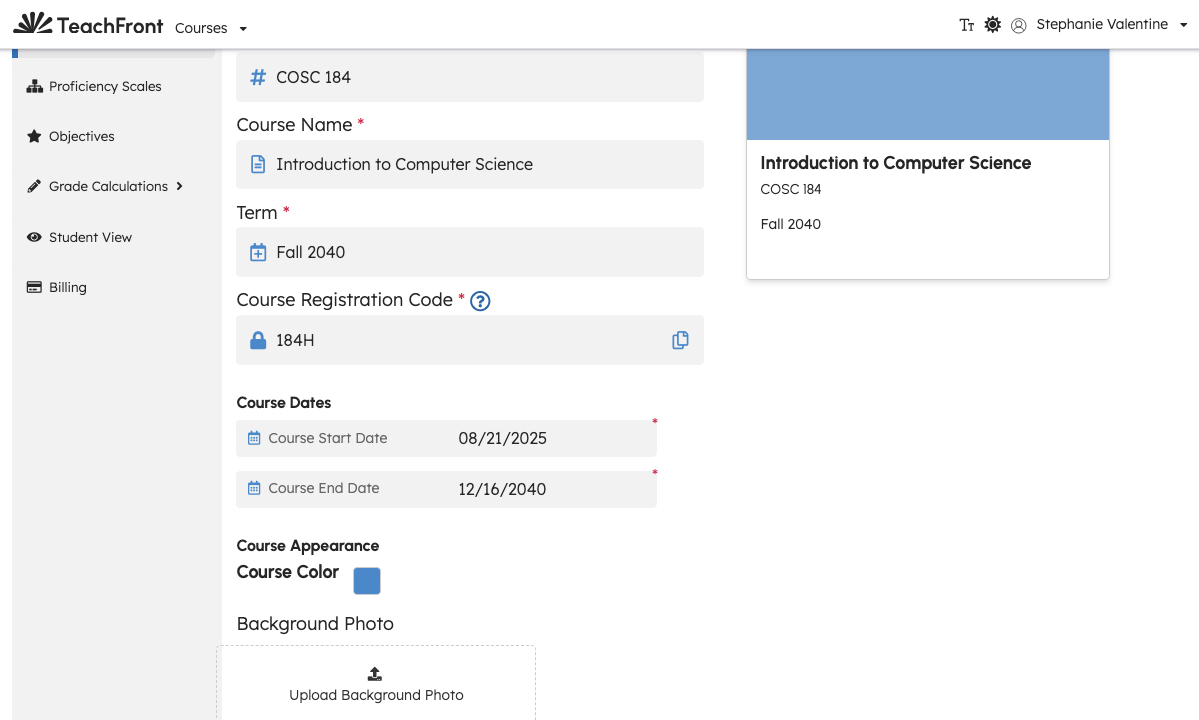
Settings areas (sidebar)
| Sidebar item | Typical purpose |
|---|---|
| Course Settings | Course name, number, term, dates, registration code, anonymous mode, course card appearance. For paid courses, access type and payment lock are also configured here (see below). |
| Proficiency Scales | Define proficiency scales used for objectives and ratings. |
| Objectives | Manage course learning objectives. |
| Grade Calculations | Grade calculations overview — distinctions, benchmarks, thresholds. |
| Due Date Extensions | Configure due date extensions (when feature enabled). |
| Billing | Billing settings (paid courses). |
| Student View | Student view (preview as a student) (paid courses). |
| Tab Visibility & Order | Tab visibility and order — choose which tabs students and the teaching team see, and set their order. |
Exact fields and validation messages are shown in each sub-page of the UI.
Course Settings (main form)
The default Course Settings page lets you update:
- Course Number, Course Name, Term
- Course Start Date and Course End Date
- Course Registration Code (with availability verification, similar to course creation)
- Anonymous mode (when available for your course)
- Course card color and optional background image
For paid courses, the main Course Settings form also includes access type (how students pay for access) and payment lock (whether the course requires payment before students can proceed). Some builds may still show part of this under Billing while the UI is being consolidated.
Save changes with the action button shown on the form.
Grade Calculations subtree
Under Grade Calculations, TeachFront separates:
- Grade Distinctions — labels or levels used in grade reporting.
- Grade Benchmarks — benchmark groups tied to objectives/scales.
- Grade Thresholds — threshold rules linking distinctions and benchmarks.
Pages may link to one another when prerequisites are missing (for example objectives or scales not yet created).
Related docs
- Create a course — initial registration code and dates.
- Review due date extension requests — teaching-team review workflow (when extensions are enabled).
Troubleshooting
| Situation | What to try |
|---|---|
| Due Date Extensions missing from sidebar | Feature may be off for the course; confirm with your admin or internal configuration. |
| Billing missing | May apply only to paid-course access types. |
| Cannot save registration code | Check availability message; ensure term and course number are set if the field was auto-suggested. |
| Grade Calculations pages show setup prompts | Complete Objectives and Proficiency Scales first, per on-screen guidance. |