Grade essay responses and release results
Overview
Every question type except Essay is scored automatically. Essay responses need a teaching-team member to review and score them before quiz results can be released to students.
Before you start
- You need teaching-team access for the course.
- The quiz must include at least one Essay question with student responses to grade.
Open the grading queue
- Open your course and select Quizzes.
- Open the quiz, then open its grading queue.
The queue lists every ungraded essay response for the quiz: the submission date, any objectives tagged on the question, the question prompt, and the student's response text (or a note that nothing was submitted).
Score a response
For each response, select Correct or Incorrect. This is a binary score — there's no partial credit or rubric scoring for essay responses. Once scored, the response drops off the queue.
When every essay response has been scored, the queue shows an All essays graded confirmation and you can release results.
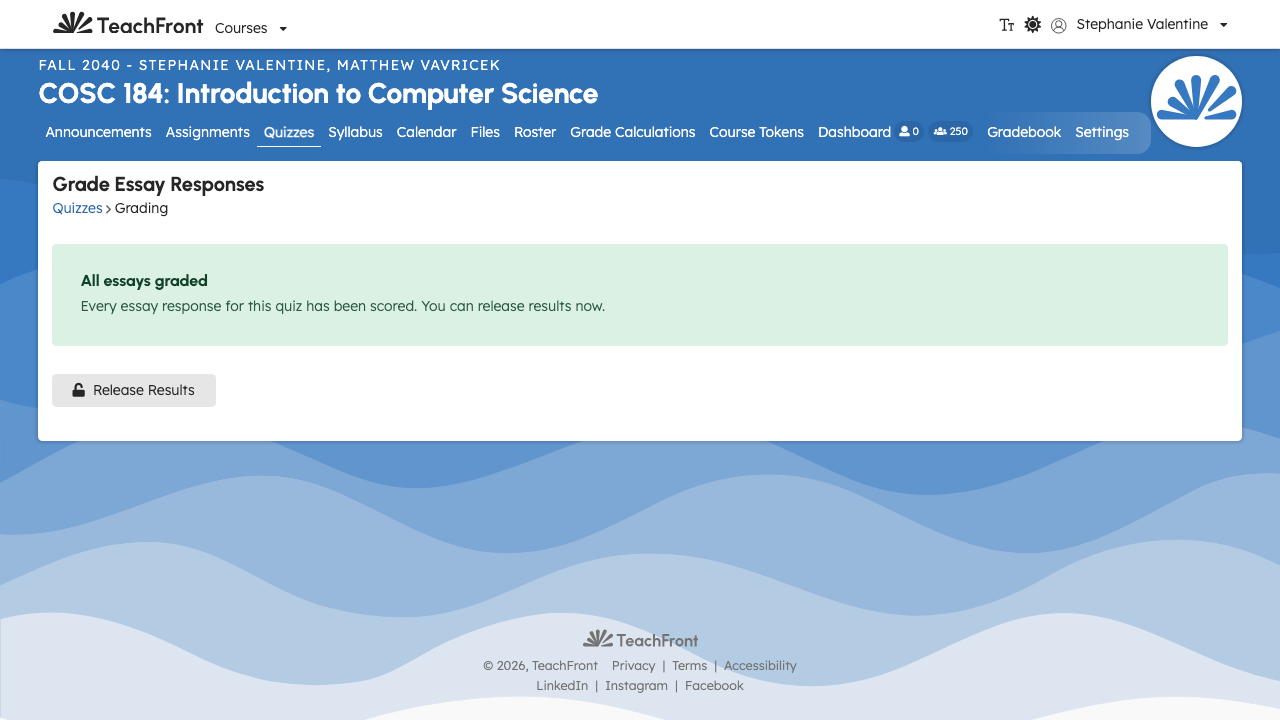
Release results
Select Release Results. TeachFront asks you to confirm — releasing immediately makes each student's per-objective proficiency for this quiz visible to them, and can't be undone from the grading queue.
If any essay response is still ungraded, release is blocked until you score it. Score the remaining responses in the queue, then try again.
Related
Troubleshooting
| Situation | What to try |
|---|---|
| Release Results blocked | Score every remaining essay response in the queue, then release again. |
| Nothing to release | If every response for the quiz was already released, TeachFront tells you there's nothing new to release. |
| Response shows no text | The student didn't submit an answer to that question — you can still score it as Incorrect. |