Assignments overview
Overview
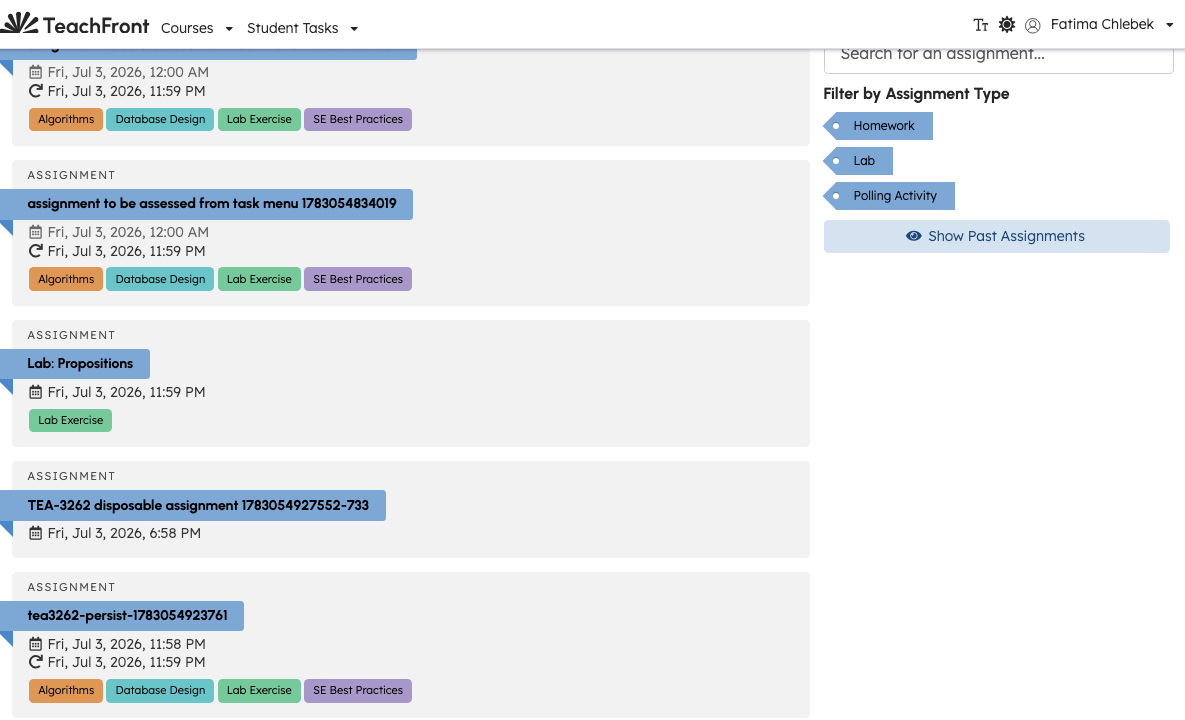
The Assignments tab is where you view due dates, open instructions, and submit or resubmit work.
Open assignments
- Open the course.
- Select Assignments.
- Select an assignment from the list to open it.
Use sidebar filters (when shown) to search or narrow by assignment type. Your instructor may hide past assignments until you choose Show Past Assignments.
What you can do on an assignment
Depending on the assignment and due dates, the assignment page may let you:
- Read instructions and resources
- Submit or upload work
- Request a due date extension when enabled
- View feedback or reassessment options after your instructor releases them
Exact buttons and statuses appear in the UI for each assignment.
Related
Troubleshooting
| Situation | What to try |
|---|---|
| Assignment list empty | Confirm enrollment; ask instructor if the course is still being set up. |
| Cannot submit | Check due date, extension status, and payment/lock state for paid courses. |
| Past assignment hidden | Use Show Past Assignments in the filter area if available. |