Course syllabus overview
Overview
The Syllabus tab is your course home page for policy and structure: who teaches the course, the description, objectives, proficiency scales, grade information, and upcoming dates.
Open the syllabus
- Open the course.
- Select Syllabus.
What you typically see
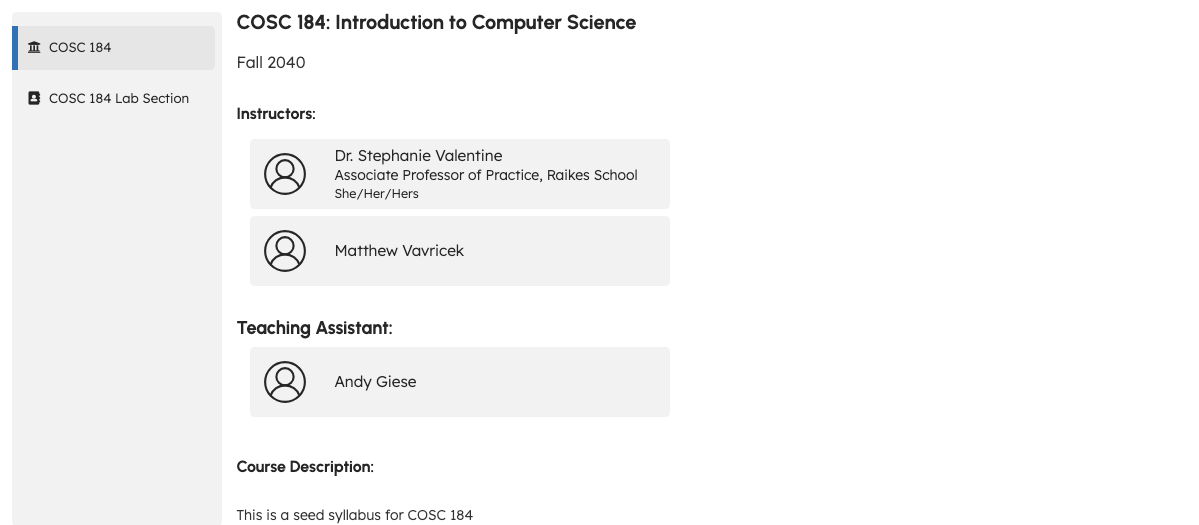
On the main course syllabus page:
- Instructors — teaching-team members
- Course Description — overview text from your instructor
- Course Details — longer syllabus content, which may include:
- Course objectives and which assignments relate to them
- Proficiency scales used for ratings
- A grade calculation table (when included for students in your course)
- An embedded calendar of important dates
Your instructor controls what appears and which sections are included.
Syllabus markers and page links (DEC-080, DEC-081)
Embedded objectives, scales, grade tables, and calendars appear only when your instructor includes the matching markers in syllabus content (DEC-081 — marker policy still under PO review). If a shared page link does not open, confirm you are signed in to the correct course (DEC-080).
Section syllabi
If you belong to a section (common in paid courses), the sidebar lists your section name. Open it for section-specific syllabus text and section instructors.
Related
Troubleshooting
| Situation | What to try |
|---|---|
| Syllabus looks incomplete | Your instructor may still be editing; check back later. |
| No grade table | Not all courses expose grade calculations on the syllabus. |
| Wrong section | Open the correct section from the sidebar if listed. |