Join a course
Overview
To join a course, you need either a registration code from your instructor or an open course invite sent to your TeachFront account.
Before you start
- You need a TeachFront account and must be signed in.
- Have your instructor’s registration code ready, or check Course Invites on your dashboard if you were invited.
Join with a registration code
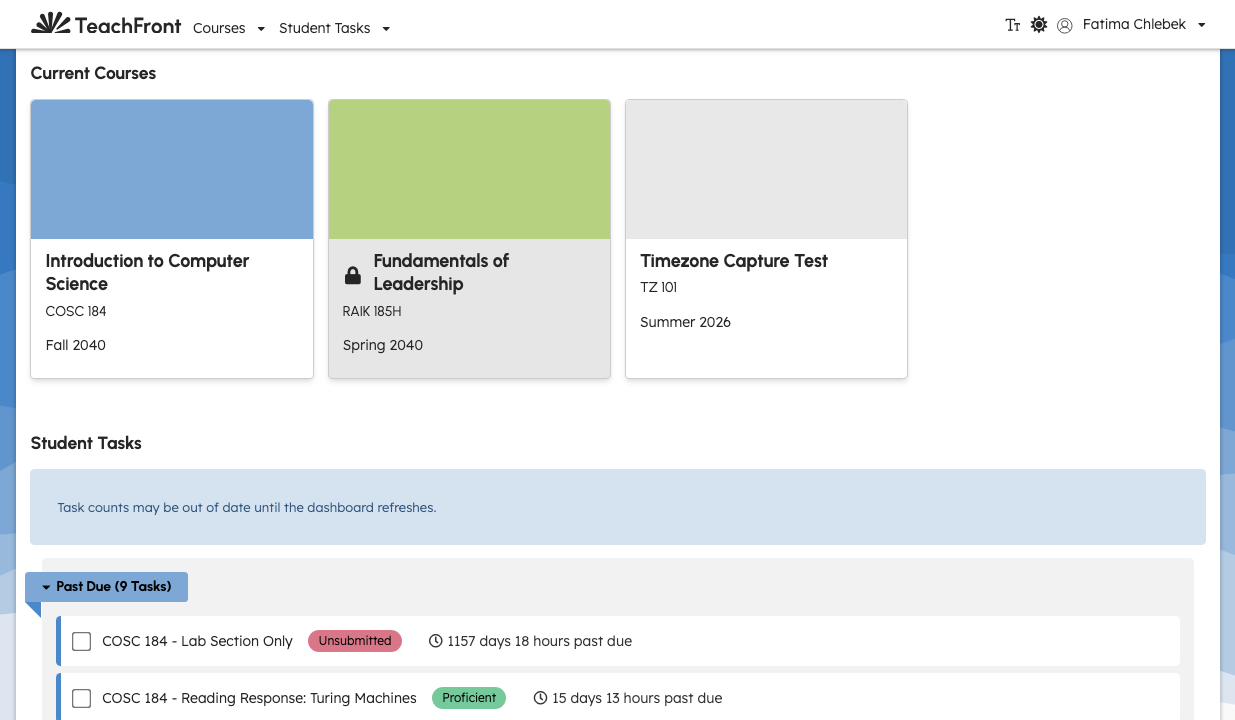
- From your Dashboard, find New Courses.
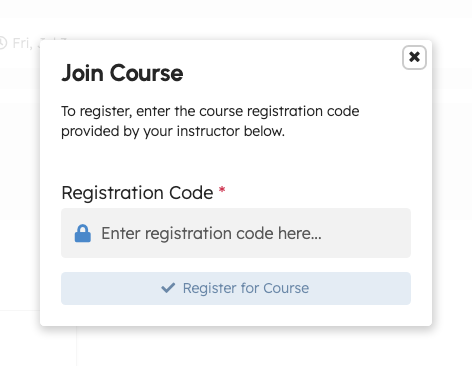
- Select Join Course.
- In the Join Course window, enter your Registration Code (the code your instructor provided).
- Select Register for Course.
What happens next depends on how the course is configured:
- Free courses: TeachFront enrolls you and opens the course (typically the Assignments area).
- Paid courses: TeachFront may open a payment step before you can access course content. If checkout does not complete, you may see a locked or payment-required state when you try to open the course.
If the code is wrong or no longer valid, TeachFront shows an error asking you to double-check the registration code.
Accept a course invite
If an instructor invited you to a course, you may see Course Invites on your dashboard.
- Open Course Invites.
- Review the invite for the course.
- Accept or decline the invite using the actions shown in the list.
info
Course invites apply to accounts that already exist in TeachFront. If your instructor expects you to join with a registration code instead, use the registration code flow above.
After you join
- The course appears on your dashboard with your other active courses.
- Open the course to view Assignments, Due Date Extensions, and other tabs your instructor has enabled.
Troubleshooting
| Situation | What to try |
|---|---|
| “Double check the registration code” | Confirm the code with your instructor (no extra spaces). |
| Payment step does not finish | Complete checkout in the payment window; allow pop-ups if your browser blocks them. |
| “Failed to claim a membership slot” | The course may be full—contact your instructor. |
| No Course Invites section | You may need a registration code, or the invite may have been sent to a different email account. |